
The best WordPress SEO plugin in 2026 is Rank Math for most users, Yoast SEO for complete beginners, and AIOSEO for WooCommerce store owners. All three handle the core tasks (meta titles, meta descriptions, XML sitemaps, and schema markup) but they differ significantly in how much you get for free and how easy they are to live with day to day. If you run a Singapore business on WordPress and you want the most capable free plugin without a steep learning curve, Rank Math is where to start.
Key Takeaways
- Rank Math offers the most features for free, including 5 focus keywords per post vs Yoast's 1
- Yoast SEO is the most beginner-friendly plugin with the clearest pass/fail guidance
- AIOSEO is the strongest option for WooCommerce and e-commerce-heavy sites
- Never install two SEO plugins simultaneously. It creates duplicate meta tags and hurts rankings
- All three plugins handle the basics well. The differences matter most when you scale
- For most Singapore SMEs managing their own WordPress sites, Rank Math is the smart starting point
Why Your WordPress Site Needs an SEO Plugin
WordPress is the most popular content management system in the world, powering well over 40% of all websites. But out of the box, WordPress gives you very little control over how your pages appear in Google search results. There's no built-in way to write custom meta titles, edit meta descriptions, create XML sitemaps, or add structured data.
An SEO plugin fills that gap. It gives you a control panel for your site's search visibility, and it makes tasks that would otherwise require developer help accessible to anyone who can write a blog post.
Specifically, a good SEO plugin lets you:
- Write custom meta titles and meta descriptions for every page, post, and product
- Preview how your pages will look in Google results before publishing
- Generate XML sitemaps that Google uses to discover and index your pages
- Add schema markup (structured data) to qualify for rich results like star ratings, breadcrumbs, and FAQs in search
- Identify basic on-page issues in real time as you write
- Manage redirects so you don't lose ranking when URLs change
- Connect your site to Google Search Console without touching code
In Singapore, the majority of SME and startup websites run on WordPress. Many are self-managed, which means the SEO plugin is often the only SEO tool the business uses. Getting the choice right matters.
If you're new to the broader picture, our guide on how SEO actually works is a solid foundation before you start digging into plugin settings.
What to Look for in a WordPress SEO Plugin
Before we compare the three leading options, here's what a good SEO plugin should do:
Schema markup support. Google uses structured data to understand content type and context. A plugin with limited schema types forces you to install a separate schema plugin, adding bloat.
Content analysis. Real-time feedback on your focus keyword, readability, and on-page signals helps you optimise before publishing rather than after.
Redirect management. Every time you change a URL, you need a redirect. Without one, you lose any ranking signals built up on the old URL. A plugin with a built-in redirect manager removes the need for a separate plugin like Redirection.
Sitemap generation. Sitemaps help Google crawl your site efficiently. Look for plugins that generate sitemaps automatically and update them when you publish new content.
Lightweight footprint. Some SEO plugins load excessive scripts on the front end. This can slow down your site, which hurts both rankings and user experience.
With that baseline set, here are the top three options.
1. Rank Math: Best Overall
Rank Math launched in 2018 as a direct competitor to Yoast, and it has since become the fastest-growing SEO plugin in the WordPress ecosystem. The pitch is straightforward: more features, included for free, with a setup wizard that walks you through configuration in under 15 minutes.
What the Free Version Includes
- SEO analysis for every post and page, with a score from 0 to 100
- Support for up to 5 focus keywords per post (Yoast's free tier allows 1)
- Google Search Console data integrated directly into your WordPress dashboard
- Built-in redirect manager for 301, 302, and 307 redirects
- Schema markup for 15+ content types: articles, local businesses, products, recipes, events, courses, and more
- Automatic image alt text based on file names
- XML sitemap with image and video sitemap support
- Local SEO schema for single-location businesses, including business hours and address
What Rank Math Pro Adds
- Keyword rank tracker inside WordPress, so you see your rankings without leaving the dashboard
- Advanced schema builder with custom schema types
- Google Analytics 4 integration
- Advanced WooCommerce SEO module with product schema and review schema
- AI-powered content suggestions and title generation
- Analytics dashboard with keyword data pulled from Google Search Console
Pricing: The free version is genuinely comprehensive. Pro starts at approximately USD 59 per year for one site, which is the most affordable paid tier among the three.
Best for: Singapore business owners who want the most functionality without paying, developers managing multiple client sites, and anyone who finds Yoast's free tier too restrictive.
Worth knowing: Rank Math has more settings than Yoast. If you've never touched an SEO plugin before, it can feel like a lot. The setup wizard helps, but budget an hour to get comfortable before your first publishing session.
2. Yoast SEO: Best for Beginners
Yoast SEO launched in 2010 and held the title of most popular WordPress SEO plugin for over a decade, with more than 10 million active installations at its peak. What kept it there is not the feature count but the simplicity.
Every post and page gets a coloured dot: green means you've passed the SEO check, orange means it needs work, red means there's a problem. This traffic light system makes optimisation understandable even to someone who has never heard of a meta title before.
What the Free Version Includes
- Traffic light SEO analysis based on your focus keyword
- Readability analysis using Flesch Reading Ease scoring
- Meta title and description editor with a live SERP preview
- XML sitemap generation
- Social sharing preview editor for Facebook and X
- Breadcrumb navigation support
- Basic schema markup for standard content types (Article, WebPage, WebSite)
What Yoast Premium Adds
- Internal linking suggestions as you type
- Redirect manager
- Support for up to 5 focus keywords per post (same as Rank Math's free tier)
- AI-powered title and meta description generation
- 24/7 email support from the Yoast team
Pricing: The free version handles the basics. Premium costs USD 99 per year per site, making it the most expensive paid tier of the three.
Best for: First-time WordPress users, business owners who want clear, actionable guidance, and anyone who wants the most documented and supported plugin in the ecosystem.
Worth knowing: The free version allows only one focus keyword per post. For a competitive local SEO campaign where you're targeting a primary keyword plus several related terms, this becomes a real constraint. At that point, upgrading or switching to Rank Math starts making financial sense.
3. AIOSEO: Best for E-Commerce
All in One SEO (AIOSEO) is the original WordPress SEO plugin, having launched in 2007. It built its reputation among e-commerce store owners and remains the preferred choice for businesses running WooCommerce.
What the Free Version Includes
- On-page SEO analysis with optimisation suggestions
- XML and RSS sitemaps
- Schema markup for standard content types
- Open Graph and social media meta tags
- Built-in robots.txt and .htaccess editor
What AIOSEO Pro Adds
- Dedicated WooCommerce SEO module with product schema, review aggregation, and breadcrumb schema
- Local SEO module with map embed support and opening hours schema
- Advanced schema generator with custom schema support
- Redirect manager with a 404 error monitor
- Link assistant for internal linking suggestions
- News sitemap for Google News submissions
Pricing: Free version available. Pro starts at USD 49.60 per year for one site, making it the most affordable premium tier.
Best for: Singapore businesses running e-commerce SEO on WooCommerce, online retailers who need product and review schema without developer involvement, and businesses with a local brick-and-mortar presence who want LocalBusiness schema.
Worth knowing: The interface is functional but feels slightly older compared to Rank Math's polished design. Some users report that the pro upgrade prompts in the free version are more frequent than they'd like.
Quick Comparison
| Feature | Rank Math Free | Yoast Free | AIOSEO Free |
|---|---|---|---|
| Focus keywords per post | 5 | 1 | 1 |
| Schema types included | 15+ | 3 | Standard |
| Google Search Console integration | Yes | No | No |
| Built-in redirect manager | Yes | No | No |
| Readability analysis | Yes | Yes | No |
| WooCommerce module | Basic | Basic | Advanced (Pro) |
| Free price | $0 | $0 | $0 |
| Pro starting price | USD 59/yr | USD 99/yr | USD 49.60/yr |
Which Plugin Should You Choose?
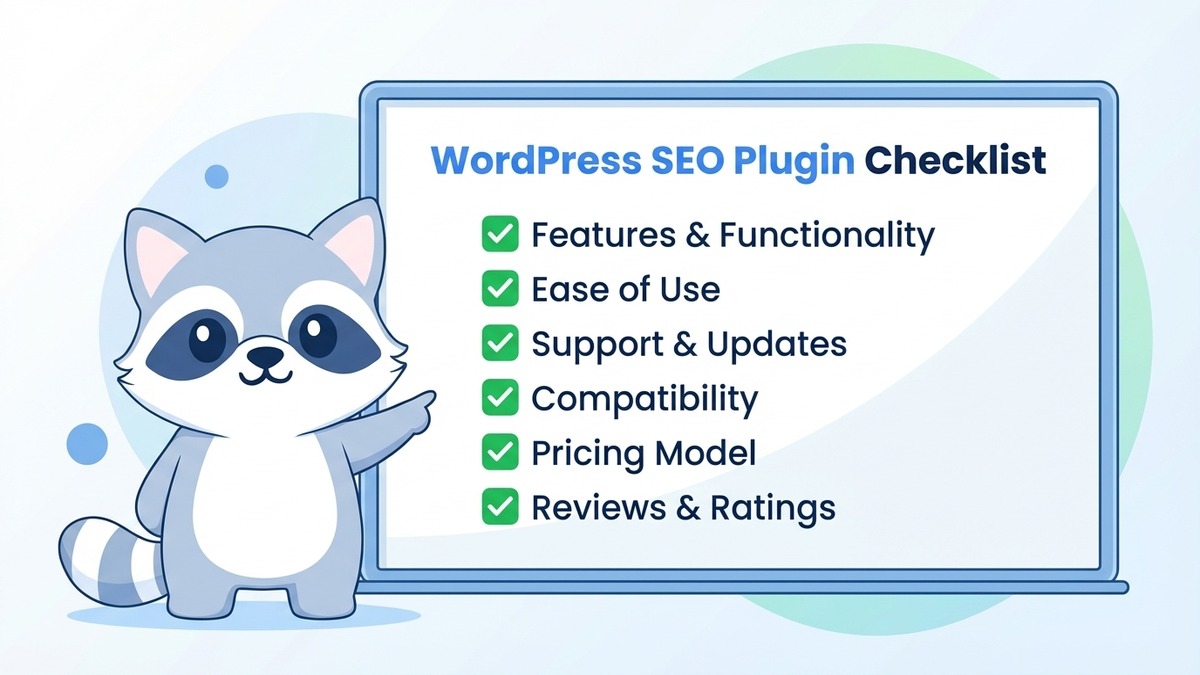
Here's the honest answer by scenario:
You're completely new to SEO and want the simplest possible setup: Choose Yoast SEO. The traffic light system is the most intuitive guidance system of the three, and there's documentation for every single setting. You'll know exactly what to fix and why.
You want the most features for free and don't mind spending 30 minutes on setup: Choose Rank Math. It outperforms Yoast's free tier on almost every metric and has become the standard recommendation among WordPress developers in 2026.
You run a WooCommerce store and need strong product and review schema: Choose AIOSEO Pro or Rank Math Pro. Both have dedicated WooCommerce modules. AIOSEO's e-commerce feature set is more mature, but Rank Math Pro is the better value if you also want rank tracking and GA4 integration.
You manage multiple client sites: Rank Math Pro offers the most value per site and includes all the features you'd need for client reporting in one dashboard.
The one rule that applies in every scenario: install only one SEO plugin at a time. Running Rank Math and Yoast simultaneously creates duplicate meta tags across your entire site. Google will see two sets of conflicting instructions and your rankings will suffer.
Other Plugins Worth Knowing
SEOPress: A developer-favourite for its lightweight codebase and minimal database overhead. Good for performance-obsessed sites where plugin efficiency is a priority.
The SEO Framework: Runs with zero configuration required out of the box. Ideal for simple sites that need basic SEO coverage without anyone managing settings.
Schema Pro: A dedicated schema markup plugin that pairs well with Yoast if you're committed to that ecosystem but need to extend its schema capabilities.
Plugins Are Tools. Strategy Is the Work.
An SEO plugin tells you what to fix and gives you the controls to do it. It won't research your keywords, structure your content, or build the backlinks your site needs to rank. If you want to understand the full picture of what goes into on-page optimisation, there's a lot more ground to cover beyond plugin settings.
Understanding what keywords to target and how to build content around them is where most of the ranking gains actually come from. A plugin just makes sure the technical containers are set up correctly. For a broader view of how AI tools are changing what good SEO looks like in 2026, our article on AI and SEO is worth reading alongside your plugin setup.
For Singapore businesses that want to rank without managing all of this themselves, our SEO services in Singapore cover everything from initial site audits to full keyword strategy, content creation, and technical optimisation.
Ready to Get More From Your WordPress Site?
The right plugin sets the foundation. The strategy on top of it is what moves rankings.
If you want a team that knows the Singapore search landscape and can take your WordPress SEO from setup to results, get in touch with us. We'll tell you exactly what your site needs and what it will take to get there.