
There are 12 essential elements of on-page SEO that every well-optimised page needs to get right. On-page SEO refers to all the optimisation work done directly on your website, covering the content, structure, and HTML signals that tell search engines what your page is about and why it deserves to rank. Unlike backlinks or domain authority, on-page SEO is entirely within your control. For Singapore business owners, getting these fundamentals right is the fastest way to improve search visibility without spending on ads or link building.
Key Takeaways
- On-page SEO covers everything on your website that influences rankings: content, structure, technical elements, and user experience signals
- The title tag is the single most important on-page ranking factor. Every page needs a unique, keyword-optimised title
- Google's algorithm is increasingly focused on content quality and user experience, not keyword density
- In Singapore, mobile-first indexing matters more than in most markets. Over 80% of Singapore searches happen on mobile
- Internal linking is one of the most underused on-page SEO techniques and one of the cheapest ways to improve rankings
- Schema markup is used by fewer than 30% of websites but significantly improves how Google understands and displays your content
What On-Page SEO Is (and Isn't)
On-page SEO is the practice of optimising the content and structure of your web pages to rank higher in search engine results. It's distinct from off-page SEO (backlinks, brand mentions, external signals) and technical SEO infrastructure (site architecture, crawlability, server configuration).
In practice, the line between "on-page" and "technical" SEO blurs. But a useful working definition is: on-page SEO is anything you can control within the page editor and content management system. Technical SEO is everything that lives beneath the content layer.
If you're new to SEO overall, our guide on how SEO works explains the broader system before you dive into the specifics.
The 12 Essential Elements of On-Page SEO
1. Title Tag
The title tag is the clickable headline that appears in Google search results. It's the single most important on-page ranking signal and the first thing both Google and your potential visitors see.
Best practices:
- Include your primary keyword, ideally near the beginning
- Keep it under 60 characters. Beyond that, Google truncates it in search results
- Make it compelling to click, not just stuffed with keywords
- Every page should have a unique title tag. Duplicate title tags across your site are a common issue on WordPress sites
Example: "On-Page SEO: 12 Elements That Actually Move Rankings" is better than "On-Page SEO Guide | SEO Service Singapore."
The first is specific and click-worthy. The second is generic and keyword-stuffed.
Use the SERP simulator to preview how your title and description will appear in Google results before publishing.
2. Meta Description
The meta description is the short summary that appears under your title tag in search results. It doesn't directly influence rankings, but it significantly affects click-through rate, and click-through rate is a factor Google uses to validate whether your result satisfies the query.
Best practices:
- Write between 150 and 160 characters. Longer descriptions get cut off
- Include your primary keyword naturally (Google may bold it in the snippet)
- Write it as a value proposition. What will the reader get from clicking?
- Don't duplicate meta descriptions across pages
A compelling meta description for this article might read: "On-page SEO has 12 essential elements. Here's what they are, why each one matters, and a step-by-step checklist for Singapore business owners in 2026."
3. URL Structure
Your URL slug should be short, descriptive, and include your primary keyword. This serves both search engines and human readers who see the URL in search results, browser tabs, and shared links.
Best practices:
- Use hyphens between words, not underscores
- Remove stop words like "the," "and," "a," "of" where they add length without meaning
- Avoid dynamic URLs with query strings (e.g.,
?page=about&id=42) - Once a URL is published and indexed, avoid changing it. If you must change it, implement a 301 redirect from the old URL to the new one
Good: /blog/on-page-seo-guide Poor: /blog/on-page-seo-the-complete-guide-to-on-page-search-engine-optimisation-2026 Poor: /blog/?p=471
4. H1 and Heading Structure
Every page should have exactly one H1 tag. This is the main heading of the page and should contain your primary keyword. Below the H1, use H2 tags for major sections and H3 tags for subsections within those sections.
A clear heading hierarchy does two things: it helps Google understand the content structure and topic depth, and it helps readers scan the page quickly to find what they're looking for.
Common mistakes:
- Multiple H1 tags on a single page (a frequent issue with WordPress themes that style the site title as H1)
- No H1 at all
- Heading tags used purely for visual styling rather than content structure
- Skipping heading levels (going from H1 to H4 without H2 and H3 in between)
5. Keyword Placement in Content
Your target keyword should appear in specific, strategic locations within your content. This is not about density or frequency. It's about presence in the most important signals.
The essential placements:
- First 100 words of the article (Google reads the opening closely to determine topic relevance)
- At least one H2 heading
- Naturally within the body copy, several times throughout
- Image file names and alt text where relevant
- The URL slug (covered above)
What you should avoid: forcing the keyword into every paragraph unnaturally, using the exact same phrase repeatedly when synonyms and semantic variations are more natural, or sacrificing readability for keyword density. Modern Google is good at understanding topic relevance from context, not just exact-match repetition.
For a deeper look at where and how to use keywords in your content, our article on what SEO keywords are covers this in detail.
6. Content Quality and Depth
Content quality is increasingly the dominant on-page factor. Google's Helpful Content updates from 2022 to 2025 have shifted ranking signals significantly toward content that demonstrates first-hand expertise, answers user intent comprehensively, and is written for people rather than search engines.
What Google's quality guidelines look for:
E-E-A-T: Experience, Expertise, Authoritativeness, and Trustworthiness. This means content written or reviewed by people with genuine knowledge of the topic, attributed to named authors, and supported by evidence and sources.
Depth over length: A 600-word page that answers a question precisely beats a 3,000-word page padded with repetition. But for complex topics, comprehensive coverage typically does outperform thin content.
User intent match: If someone searches for "how to fix a broken link in WordPress," they want a step-by-step solution, not a 2,000-word essay on the importance of link maintenance. Match the format and depth to what the query actually calls for.
No filler: Introductions that restate the title. Conclusions that summarise what was just said. Paragraphs that repeat earlier points with slightly different wording. These all signal low-effort content to both readers and algorithms.
7. Internal Linking
Internal links are hyperlinks from one page on your site to another page on your same site. They're one of the most underused and most effective on-page SEO techniques available to any website owner.
Internal links do three things:
Distribute link authority (PageRank). When a page on your site has strong external backlinks, that authority can be passed to other pages through internal links. This helps Google evaluate the relative importance of your pages.
Help Google discover content. New pages that aren't linked from anywhere else on your site may take weeks or months to get indexed. Linking to a new page from an existing, already-indexed page accelerates discovery.
Guide readers deeper into your site. More time on site, more pages per session, and lower bounce rates all send positive engagement signals that contribute to rankings.
Best practices:
- Link to your most important pages frequently from across the site
- Use descriptive anchor text that tells Google what the linked page is about. "Read more" and "click here" waste the opportunity
- Every new page should have at least one internal link pointing to it from another page
- Avoid over-optimising anchor text. Using the exact same keyword-rich phrase on every internal link pointing to a page looks unnatural
This article, for example, links to our guides on what SEO keywords are, best WordPress SEO plugins, and how SEO works. Those are strategic internal links, not just references.
8. Image Optimisation
Every image on your page represents an opportunity to add context for Google and improve load speed.
Alt text: Describe the image's content in natural language. Include the keyword where it's genuinely relevant and natural. Screen readers also use alt text for accessibility. Both matter.
File names: Name your images descriptively before uploading. "on-page-seo-checklist-singapore.jpg" tells Google something useful. "IMG_4521.jpg" tells Google nothing.
File size: Uncompressed images are one of the most common causes of slow page load times. Compress images using tools like TinyPNG or Squoosh before uploading. For most web images, JPEG or WebP format at medium quality delivers the right balance of visual quality and file size.
Dimensions: Size images to the dimensions they'll actually display at. Uploading a 4000px wide image and scaling it down with CSS wastes bandwidth and slows load time.
9. Page Speed and Core Web Vitals
Google uses page speed as a ranking factor, and since the Core Web Vitals update, it measures speed using three specific metrics:
Largest Contentful Paint (LCP): How long it takes for the main content (typically the hero image or heading) to load. Target: under 2.5 seconds.
Interaction to Next Paint (INP): How quickly the page responds to user input. Replaced First Input Delay in 2024. Target: under 200 milliseconds.
Cumulative Layout Shift (CLS): How much the page layout shifts unexpectedly as it loads. Annoying layout shifts (buttons that move as you're about to click them) are scored negatively. Target: under 0.1.
For Singapore businesses on shared hosting with unoptimised WordPress themes and large plugin libraries, Core Web Vitals scores are frequently poor. Improving them involves image compression, removing unused plugins, enabling caching, using a content delivery network (CDN), and choosing a fast hosting provider.
Check your scores for free using Google PageSpeed Insights or Google Search Console's Core Web Vitals report.
10. Mobile-Friendliness
Google uses mobile-first indexing, meaning it evaluates your mobile version of the site as the primary version for ranking purposes. This has been the default for all websites since 2023.
In Singapore specifically, mobile search dominates. Singaporeans have among the highest smartphone penetration rates in the world, and over 80% of local Google searches happen on mobile devices.
A page that looks great on desktop but has tiny text, broken layouts, or buttons too small to tap on mobile is hurting its own rankings. Test your site using Google's Mobile-Friendly Test tool.
Beyond basic responsiveness, mobile-friendliness means:
- Text is readable without zooming
- Buttons and links are large enough to tap easily
- Content doesn't overflow the screen horizontally
- Pop-ups don't block the main content on mobile
11. Schema Markup (Structured Data)
Schema markup is code you add to your page that explicitly tells Google what type of content it contains and the specific entities it covers. Google uses this structured data to generate rich results in search.
Common schema types relevant to Singapore businesses:
| Schema Type | What It Does | Who Needs It |
|---|---|---|
| LocalBusiness | Shows your hours, address, and rating in search | Any business with a physical location |
| Article | Marks news and blog content | Blogs, news publishers |
| Product | Shows price, availability, and reviews | E-commerce sites |
| FAQ | Adds expandable Q&A directly in search results | Any page with Q&A format |
| BreadcrumbList | Shows navigational structure in the URL path | Multi-level site hierarchies |
| Review/Rating | Shows star ratings under search results | Products, services, local businesses |
Fewer than 30% of websites implement schema markup, which means it remains a meaningful competitive advantage for those who do. WordPress SEO plugins like Rank Math and AIOSEO include schema markup tools that let you implement these without touching code. For more about choosing the right plugin, see our best WordPress SEO plugins guide.
For unfamiliar terms like schema, structured data, or canonical tags, the SEO glossary has clear definitions for all standard SEO terminology.
12. User Experience Signals
The final element is also the most holistic. Google measures how users interact with your page and uses that behaviour as a signal of content quality.
The signals that matter:
Dwell time: How long a visitor stays on your page before returning to the search results. Short dwell times signal that the page didn't satisfy the query.
Bounce rate: The percentage of visitors who view only one page and leave. High bounce rates on content pages may signal irrelevance or poor quality.
Click-through rate (CTR): If your page appears in results but very few people click on it, Google may infer that users prefer other results. A compelling title tag and meta description directly impacts this.
Pogo-sticking: When a user clicks your result, stays briefly, then returns to the SERP and clicks a different result. This is a strong negative signal.
Improving user experience on-page means: clean layout, fast loading, easy navigation, clear and useful content, and calls to action that guide visitors toward the next logical step.
On-Page SEO Checklist for Singapore Businesses
Before publishing any page, run through this checklist:
- [ ] Unique title tag under 60 characters, includes primary keyword
- [ ] Meta description between 150 and 160 characters, click-worthy
- [ ] URL slug is short, descriptive, and keyword-relevant
- [ ] One H1 tag containing the primary keyword
- [ ] Clear H2/H3 heading structure throughout the page
- [ ] Primary keyword in the first 100 words
- [ ] Content matches the search intent for the target query
- [ ] At least 3 internal links to other relevant pages on your site
- [ ] All images have descriptive file names and alt text
- [ ] Images are compressed for web (under 200KB for most)
- [ ] Page loads in under 2.5 seconds (check with PageSpeed Insights)
- [ ] Page is mobile-responsive and readable on a 375px screen
- [ ] Relevant schema markup implemented
- [ ] No duplicate content: this page is unique across your site
Singapore-Specific Considerations
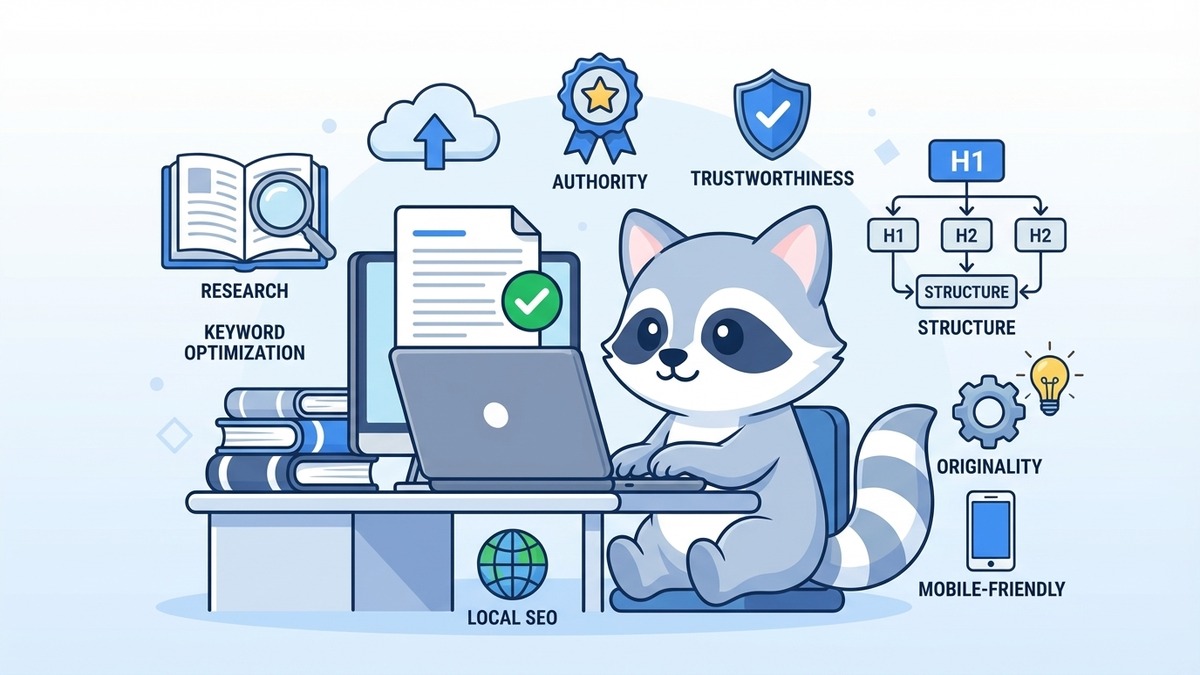
!The 12 Essential Elements of On-Page SEO
Multilingual pages: If your business serves both English and Chinese-speaking customers, consider creating separate, fully translated pages rather than mixing languages on a single page. Mixed-language content confuses search intent signals.
LocalBusiness schema: Every Singapore business with a physical location or service area should implement LocalBusiness schema. It reinforces your presence in local search and Google Maps results and supports your local SEO strategy.
Google Business Profile integration: Your website's on-page content should align with the information in your Google Business Profile. Inconsistent NAP data (Name, Address, Phone) across your website and GBP hurts local rankings.
Competitor gap analysis: Before investing in on-page optimisation, run a gap analysis. What keywords are your top Singapore competitors ranking for that you aren't? What content depth and format are the current top-ranking pages using? Match and exceed that baseline.
Getting On-Page SEO Right in 2026
On-page SEO has become more nuanced since the days of keyword stuffing, but it hasn't become more complicated. The fundamentals still apply: tell Google clearly what your page is about, make it genuinely useful to the person reading it, and make sure it loads fast and looks good on mobile.
If you're managing your own WordPress site, tools like Rank Math can guide you through most of these elements. But knowing what to fix is different from having the time and expertise to fix it systematically across an entire website.
Our SEO services in Singapore cover full on-page audits and optimisation as part of every campaign. We audit your existing pages, fix the gaps, and build a content strategy aligned with the keywords your target customers are actually searching for.
If you want to see where your site stands today, get in touch with us. We'll give you a clear picture of your current on-page SEO health and what it would take to move rankings.