
Yes, you can do SEO yourself. With free tools from Google and a clear process, any business owner can improve their website's search rankings without hiring an agency. The key steps are: set up Google Search Console and Analytics, research the right keywords, optimise your pages for those keywords, fix technical issues, publish useful content consistently, and build backlinks. It takes time, but the results compound over months into a traffic source that costs nothing per click.
This guide is for Singapore business owners and marketing managers who want to understand SEO well enough to do it themselves, or at least understand what they are paying for when they hire someone. No jargon. No theory. Just the actual steps.
If you want to understand the fundamentals before diving in, start with How SEO Actually Works first, or if you are completely new to the topic, SEO Explained in 5 Minutes is the fastest orientation. Then come back here for the execution playbook.
Key Takeaways
- SEO yourself is entirely doable with free tools, but it requires consistent effort over at least 3-6 months to see meaningful results.
- Start with Google Search Console and Google Analytics. These two free tools are the foundation of everything.
- Keyword research is the most important step. Targeting the wrong keywords means all your other work is wasted.
- On-page SEO (title tags, headings, content quality) has the highest ROI for most small sites.
- Technical SEO issues can silently kill rankings. Run a crawl audit early and fix the blockers.
- Backlinks are still among the strongest ranking signals in 2026. You cannot ignore them.
- Singapore businesses should prioritise Google Business Profile alongside website SEO for local visibility.
- Know when to stop DIYing. Complex sites, competitive niches, and faster growth timelines may need professional help.

Step 1: Set Up Your Tracking First
Before you touch a single page, set up your measurement tools. Doing SEO without tracking is like driving with no instruments. You cannot tell if anything is working.
Google Search Console
Go to search.google.com/search-console and verify your website. GSC shows you which queries bring visitors to your site, your average position for each keyword, your click-through rate, and any technical errors Google encounters when crawling your pages.
GSC is also where Google tells you if your site has a manual penalty, indexing issues, or mobile usability problems. Check it weekly at minimum.
Critical first action: After verifying, submit your sitemap (usually yoursite.com/sitemap.xml) to help Google discover all your pages faster.
Google Analytics 4
Set up GA4 to track what visitors do after they land on your site. Connect it to GSC so you can see organic search data alongside on-site behaviour in one place.
Without GA4, you cannot tell if your SEO traffic is actually converting into leads, sales, or enquiries. Traffic numbers without conversion data are meaningless for a business.
Step 2: Research Keywords People Actually Search
Keyword research is the most important step in the entire process. If you target keywords nobody searches, you get traffic nobody sends. If you target keywords you cannot compete for, you get frustrated and quit. Getting this right is everything.
Find Keywords Relevant to Your Business
Start by listing every service, product, and problem your business solves. Then think about how your customers would phrase those in a Google search. Not industry jargon. Actual search queries.
For a Singapore renovation contractor, that might be:
- "HDB renovation Singapore"
- "home renovation cost Singapore"
- "kitchen renovation Singapore"
- "renovation contractor Singapore price"
Use Google Keyword Planner (free) or Ahrefs Keywords Explorer (paid) to validate search volumes. Focus on keywords that:
- Are relevant to your business (obvious, but often overlooked)
- Have actual search volume in Singapore
- Match your realistic ability to rank
Understand Search Intent
Every keyword has an intent behind it. Before writing a single word, ask: what does someone searching this actually want?
- Informational: "how to file taxes in Singapore" (they want to learn)
- Navigational: "IRAS Singapore login" (they want a specific site)
- Commercial: "best accounting software Singapore" (they are comparing options)
- Transactional: "buy accounting software Singapore" (they are ready to act)
Match your content to the intent. A page trying to sell services to someone doing informational research will not rank. Google's algorithm understands intent, and so should you.
Keyword Difficulty: Aim for Winnable Targets
New websites should start with long-tail keywords. These are more specific, lower-volume searches with less competition. "Florist Singapore" is nearly impossible for a new site to rank for. "Wedding bouquet florist Bukit Timah" is winnable.
Build authority on long-tail terms first. Rankings for broader terms follow later, as your site gains authority.
Where to Put Keywords
Once you have target keywords, use them in:
- The page title (title tag): your keyword should appear naturally here
- The H1 heading: one per page, includes the primary keyword
- The URL: keep it short and keyword-rich (e.g.,
/services/hdb-renovation) - The first paragraph: Google and AI tools heavily weight the opening paragraph
- H2 subheadings where it fits naturally
- Image alt text describing what the image shows
- The meta description: not a direct ranking factor but improves click-through rate
Do not stuff keywords. Write naturally. If a keyword appears five times on a 500-word page, that is too many. If it appears once or twice in context, that is fine.
Step 3: Optimise Your Existing Pages
Most business websites have pages that are already close to ranking but need improvement. Before creating new content, optimise what you have.
Title Tags
The title tag is the blue clickable link in search results. It is the most important on-page SEO element.
Rules:
- Keep it under 60 characters so it does not get cut off in search results. Use our SERP simulator to preview how your title looks before publishing.
- Include your primary keyword naturally
- Make it compelling enough to click, not just keyword-stuffed
Bad: "Services - Company Name" Better: "HDB Renovation Singapore | Fixed Price Packages | Company Name"
Meta Descriptions
The meta description appears below your title in search results. It is not a direct ranking factor, but a well-written one significantly improves your click-through rate, which does affect rankings.
Keep it to 150-160 characters. Summarise what the page offers. Include a call to action ("Learn more," "Get a free quote," "See prices"). Include your primary keyword if it fits naturally.
H1 and Heading Structure
Every page should have one H1 heading. It should be descriptive and include your primary keyword. Think of H2s as chapter titles and H3s as sub-sections within chapters.
Good heading structure helps both Google understand your page structure and visitors scan your content quickly.
Content Quality and Length
Google's Helpful Content system (rolled out across 2022-2024) strongly rewards content that is genuinely useful over content that just checks keyword boxes. In 2026, short, thin pages that exist only to target a keyword rarely rank for competitive terms.
For each important page:
- Answer the visitor's question completely
- Use specific details, examples, and data rather than vague generalisations
- Write at a level your target customer can understand
- Include the information that makes someone confident enough to take action
There is no magic word count. Write as many words as needed to answer the question fully, and no more.
Step 4: Fix Your Technical SEO
Technical SEO issues can silently stop your pages from ranking even when the content is excellent. This step is often skipped by DIY SEO beginners. Do not skip it.
Run a Site Crawl
Use Screaming Frog's free version (crawls up to 500 URLs) to crawl your entire site. Look for:
Broken links (404 errors): Fix or redirect pages that return 404 errors. Broken internal links waste crawl budget and create a poor user experience.
Missing meta descriptions: Every important page should have a unique meta description.
Duplicate title tags: Each page must have a unique title tag. Duplicates confuse Google about which page to rank.
Redirect chains: If Page A redirects to Page B which redirects to Page C, consolidate to a direct redirect. Chains slow page loading and dilute link authority.
Missing alt text: Every image should have descriptive alt text for accessibility and image search.
Check Google Search Console for Errors
In GSC, go to Index > Coverage to see which pages are indexed, which have errors, and which are excluded. Common issues:
- Pages with noindex tags that should be indexed: Check that important pages are not accidentally blocked.
- Crawl errors: Fix server errors (5xx) and not-found errors (4xx) reported by GSC.
- Pages excluded by robots.txt: Make sure important pages are not blocked from Google's crawler.
Page Speed
Use Google PageSpeed Insights to test your site's loading performance. Google's Core Web Vitals measure:
- LCP (Largest Contentful Paint): How fast the main content loads. Target under 2.5 seconds.
- INP (Interaction to Next Paint): How responsive the page is to user input. Target under 200ms.
- CLS (Cumulative Layout Shift): How much the page jumps around while loading. Target under 0.1.
Common fixes for Singapore websites:
- Compress and properly size images (this alone fixes most speed issues)
- Use a caching plugin if you are on WordPress
- Switch to a faster hosting provider if your server response time is slow
- Minimise unnecessary JavaScript and CSS
Mobile Optimisation
Over 80% of searches in Singapore happen on mobile devices. If your site is not mobile-friendly, you are losing rankings and visitors. Test your site at Google's Mobile-Friendly Test tool. Fix any issues found.
HTTPS
If your site still runs on HTTP rather than HTTPS, fix this immediately. Google has used HTTPS as a ranking signal since 2014, and modern browsers flag non-HTTPS sites as insecure. Most Singapore web hosts offer free SSL certificates via Let's Encrypt.
Step 5: Create Content That Earns Traffic
Content is how you target new keywords and grow your site's authority over time. One well-written article targeting the right keyword can bring consistent traffic for years.
What Content to Create
Start with questions your customers ask you. What do people ask before becoming clients? What do they need to understand before they are ready to buy? These are your content topics.
For a Singapore digital marketing agency, that might be:
- "What does SEO cost in Singapore?"
- "How long does SEO take to work?"
- "Is SEO worth it for small businesses in Singapore?"
Each of those is a keyword-backed article that attracts the exact audience likely to become clients.
The Pillar and Cluster Model
The most effective content structure for SEO in 2026 is pillar pages and content clusters. A pillar page covers a broad topic comprehensively (e.g., "Complete Guide to SEO for Singapore Businesses"). Cluster pages cover specific subtopics in depth and link back to the pillar. This structure signals topical authority to Google across an entire subject area.
Writing for Both Humans and Google
Every article should:
- Answer the main question directly in the first paragraph (this is how you get pulled into AI Overviews and featured snippets)
- Use clear headings so both readers and Google can scan the structure
- Include specific data, examples, and actionable advice
- Link to other relevant pages on your site naturally within the content
- End with a clear next step for the reader
Do not write for word count. Write for completeness. A 600-word article that fully answers a specific question will outrank a 2,000-word article that buries the answer in filler.
Publishing Consistency
Consistent publishing builds authority over time. One well-researched article per month beats four rushed ones. Pick a pace you can sustain and stick to it.
Step 6: Build Backlinks to Your Site
Backlinks, which are links from other websites pointing to yours, are still one of the most powerful ranking signals in 2026. A page with strong, relevant backlinks from authoritative sites will outrank a technically perfect page with no links.
This is the hardest part of DIY SEO. It requires outreach, relationship-building, and patience.
Start With What You Already Have
- Business directories: Make sure your site is listed in relevant Singapore directories. Sg.business, Gobusiness.gov.sg, and industry-specific directories all pass link value.
- Google Business Profile: Ensure your GBP listing links back to your website.
- Partners and suppliers: Ask business partners, suppliers, and complementary services to link to your site.
- Industry associations: If you belong to SCCCI, SBF, or other Singapore business associations, check if member listings include a website link.
Create Content Worth Linking To
The most sustainable link-building strategy is creating content that other websites naturally want to reference. Data studies, original research, comprehensive guides, and free tools all attract backlinks organically.
Guest Posts and Media Coverage
Reach out to industry publications, local Singapore business blogs, and relevant media outlets to contribute articles. A well-placed guest post on a reputable Singapore business site can send genuine referral traffic and pass meaningful link authority.
For a deeper dive on link-building tactics, check out Backlinks: The Secret Weapon for specific strategies that work in the Singapore market.
What to Avoid
Never buy links from link farms or "SEO packages" promising 100 backlinks for $50. Google detects these patterns, and the penalty can set your site back years. Slow and steady with quality links beats fast and cheap with spammy ones every time.
Step 7: Optimise Your Google Business Profile (Singapore Priority)
For Singapore businesses serving local customers, Google Business Profile (GBP) is as important as your website. GBP listings appear in the local pack at the top of search results, above organic listings, and in Google Maps.
Steps to optimise your GBP:
- Claim and verify your listing at business.google.com
- Fill in every field completely: business name, address, phone, website, hours, categories
- Upload high-quality photos of your business, team, and products/services
- Collect reviews consistently. Ask every satisfied customer to leave a Google review.
- Post updates regularly to keep the listing active
- Add your services and products with descriptions
For businesses with multiple Singapore locations, set up separate GBP listings for each location.
Step 8: Track, Measure, and Improve
SEO is not a one-time project. It is an ongoing cycle of measuring results and improving based on data.
What to Track Monthly
In Google Search Console:
- Total clicks and impressions (trend direction matters more than absolute numbers)
- Average position for target keywords
- Pages with declining clicks (candidates for content refresh)
- Any new errors or coverage issues
In Google Analytics 4:
- Organic traffic volume and conversion rate
- Landing pages driving the most organic traffic
- User behaviour on key pages (time on page, scroll depth)
When to Update Content
Any page that ranked in positions 5-20 for a valuable keyword is a candidate for improvement. These pages are almost ranking. Small improvements to content quality, internal links, or backlinks can push them to page one.
Refresh high-value articles every 6-12 months to update statistics, add new information, and signal freshness to Google.
The Singapore-Specific Checklist
Beyond the standard SEO steps above, Singapore businesses should also:
Google Business Profile: Set up and optimise your GBP listing, especially if you serve customers locally.
Target Singapore keywords explicitly: Include "Singapore" in keyword research. "Accounting services" is different from "accounting services Singapore." Filter all keyword research by country (SG).
Consider your domain: For a business primarily serving Singapore customers, a .sg domain has a slight local search advantage over .com. But .com sites with strong Singapore content and GBP setup rank equally well in most cases.
Bilingual SEO (if relevant): If your audience includes Chinese-speaking Singaporeans, consider separate Chinese-language content pages. Do not auto-translate. Invest in proper translation or original Chinese content.
Competitor analysis in the SG market: Singapore's search results are often dominated by established local players. Before targeting a keyword, check who ranks on page one. Understanding why your competitors are investing in SEO helps you benchmark your own strategy.
When to Stop DIYing and Hire Help
DIY SEO makes sense for:
- Businesses with time to invest in learning and implementation
- Sites in low-to-medium competition niches
- Early-stage businesses establishing their initial online presence
Consider bringing in professional SEO services in Singapore when:
- You are in a highly competitive industry where page one is dominated by established players
- Your site has serious technical SEO problems requiring developer involvement
- You need results faster than DIY timelines allow
- Your time is worth more than the cost of outsourcing
- You have done the basics and hit a plateau you cannot diagnose
Our guide on the best SEO tools in 2026 shows you exactly what professional teams use, which gives you a benchmark for evaluating agencies.
Common DIY SEO Mistakes That Kill Results
Most DIY SEO failures are not caused by lack of effort. They are caused by consistent errors that compound over time. Recognising and avoiding these saves months of wasted work.
Targeting keywords that are too competitive. The most common beginner mistake. A new Singapore business owner decides to rank for "digital marketing Singapore" and wonders why nothing happens after six months. That keyword is dominated by established agencies with years of authority. Target "digital marketing tips for F&B Singapore" instead. Win the easy keywords first. Authority and broader rankings follow.
Publishing content without internal links. Every new article is an opportunity to strengthen your site's structure by linking to and from related pages. Orphaned articles with no internal links receive less crawl priority and no authority distribution from the rest of your site. Every article you publish should link to at least two existing pages and should receive at least one inbound internal link from an existing page.
Optimising for rankings instead of conversions. It is possible to rank on page one for a keyword and still see zero business impact if the traffic does not match your actual buyers. Before targeting any keyword, ask: would someone searching this query ever become my customer? Informational keywords build awareness. Transactional and commercial keywords generate enquiries. You need both, but know which is which.
Ignoring meta descriptions because they are not direct ranking factors. Meta descriptions do not directly affect rankings. They massively affect click-through rates. A well-written meta description for a position-4 result can outperform a lazy one at position 2 in terms of actual traffic. Write every meta description as a miniature ad for the page.
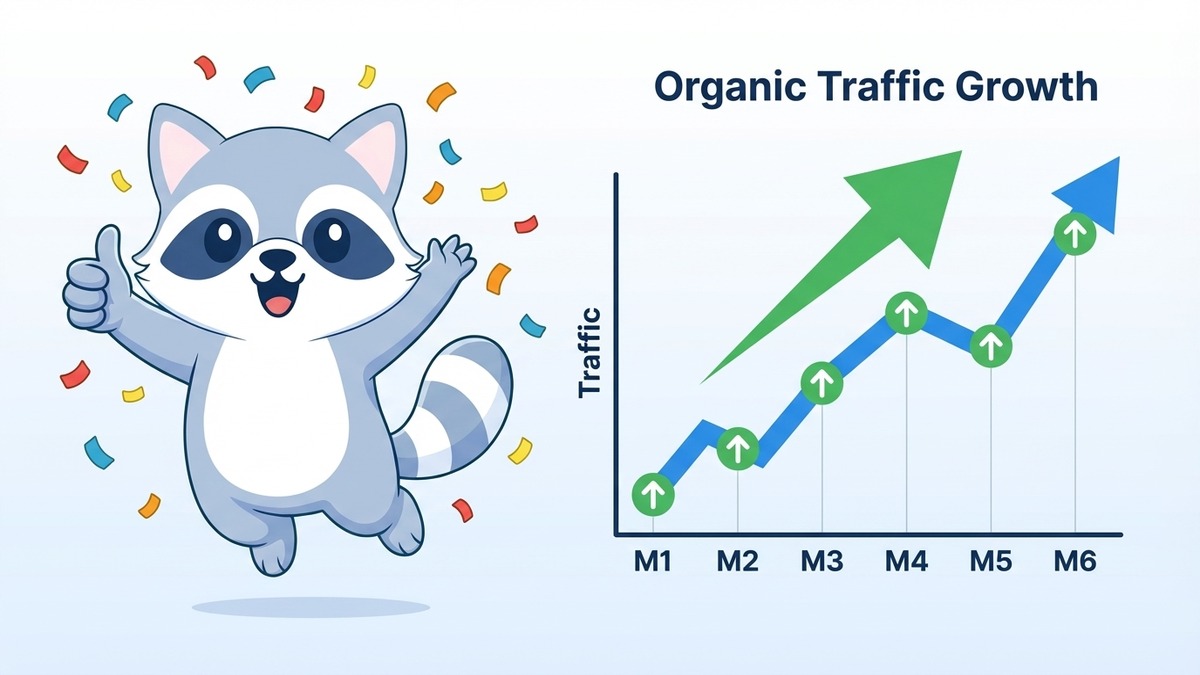
Giving up before the compounding effect kicks in. SEO results are not linear. The first three months often feel like nothing is happening. Then rankings start to appear. Then traffic begins growing. Then that growth accelerates as your domain authority builds. The businesses that quit at month four hand their keyword rankings to the ones that stayed consistent until month eight.
Not updating content. An article published in 2023 with statistics and information that have changed will lose rankings over time as competitors publish more current content. Every 6-12 months, review your most important articles, update any outdated information, and republish with a new "last updated" date.
Publishing content at random topics. Random content does not build topical authority. If your site publishes one article about SEO, one about social media, one about accounting software, and one about project management, Google has no idea what your site is an authority on. Pick a content focus aligned with your business and stick to it.
Deep Dive: Keyword Research for Singapore Businesses
Keyword research deserves more than a paragraph. It is the foundation of every other SEO action. Get it right and everything else is easier. Get it wrong and you are building on sand.
Step 1: Seed Keywords
Start with the words and phrases that describe your business, services, and the problems you solve. Be customer-centric, not industry-centric. Your customers do not search for "SME corporate legal advisory." They search "business contract lawyer Singapore" or "employment dispute lawyer Singapore cost."
Write 20-30 seed keywords without filtering. Quantity first.
Step 2: Expand With a Tool
Put your seed keywords into Google Keyword Planner, Ahrefs, or Ubersuggest. Each tool will generate hundreds of related keywords. Export them into a spreadsheet.
Look specifically for:
- Question variants ("how much does X cost Singapore")
- Comparison variants ("X vs Y Singapore")
- Location variants ("X in Orchard," "X in Jurong," "X Singapore")
- Problem-based variants ("fix X," "help with X")
Step 3: Filter by Opportunity
For each keyword, assess three factors:
Relevance (0-10): How directly does this keyword match what you offer? If you are an HDB renovation contractor, "HDB renovation Singapore" is a 10. "Condo renovation Singapore" might be a 7. "Renovation tips" might be a 3.
Volume: How many people search this in Singapore per month? Tools show this, though exact figures for very local Singapore keywords can be approximate. Higher volume is better, all else equal.
Difficulty: How strong are the pages currently ranking? Look at the sites on page one. If they are all established national brands with thousands of backlinks, a new site has minimal chance. If they are local businesses with modest online presence, the keyword is winnable.
Prioritise keywords that are: highly relevant, have some volume, and have moderate-to-low difficulty. These are your initial targets.
Step 4: Group by Intent and Page
Do not create one page per keyword. Group related keywords by intent and map them to a single page. "HDB renovation cost Singapore," "how much does HDB renovation cost," and "HDB renovation price Singapore 2026" are all the same search intent. One comprehensive page targets all three.
Step 5: Map to Your Site Structure
Assign each keyword group to either an existing page to optimise or a new page to create. This keyword-to-page map becomes your SEO roadmap.
On-Page SEO: The Full Checklist
Every page you want to rank needs to pass this checklist before publishing. Print it and use it.
Title tag:
- Contains the primary keyword
- Under 60 characters
- Compelling enough to click (not just a keyword string)
- Unique across the entire site
Meta description:
- 150-160 characters
- Summarises what the page offers
- Includes a call-to-action phrase
- Contains the primary keyword if it fits naturally
- Unique across the entire site
URL:
- Short and descriptive
- Contains the primary keyword
- Uses hyphens between words
- No stop words (a, the, in, of) unless needed for clarity
H1:
- One per page
- Contains the primary keyword
- Different from the title tag (can be similar but should not be identical)
Opening paragraph:
- Answers the main question directly within the first 100 words
- Contains the primary keyword in the first sentence where natural
- Does not begin with "In this article" or similar filler phrases
Body content:
- Uses H2 and H3 headings to structure the content clearly
- Includes the primary keyword 2-4 times across the full article naturally
- Includes semantic related terms (not forced, just mentioned where relevant)
- Provides specific, useful information rather than generalisations
- Includes at least one data point, example, or case study
Images:
- Every image has descriptive alt text containing relevant keywords
- Images are compressed to under 200KB where possible
- Featured image file name matches the alt text (slugified)
Internal links:
- Links to at least 2-3 related pages on your site
- Uses natural anchor text (not "click here" or "read more")
- Does not link to the same page more than once
External links:
- Includes 1-2 links to authoritative, relevant external sources where they add value
- Set to open in a new tab
Building a Content Calendar That Actually Gets Followed
The most common reason DIY SEO stalls is not lack of knowledge. It is lack of execution consistency. A content calendar turns intention into a system.
Here is a simple monthly content calendar structure for a Singapore business doing DIY SEO:
Month 1:
- Technical SEO audit and fixes (no new content yet)
- Keyword research and mapping
- Optimise 5 existing pages based on keyword map
Month 2:
- Publish first new article targeting a low-difficulty keyword
- Set up GSC and GA4 monitoring
- Fix any indexing issues found in Month 1 audit
Month 3 onward:
- Publish one article per month targeting a keyword from your research list
- Review GSC monthly and refresh one existing page based on data
- Build one backlink per month through directory submissions, guest posts, or partner mentions
This pace is sustainable for most business owners managing SEO alongside running their business. Consistency over 12 months at this pace produces more results than a burst of six articles in one month followed by nothing for three months.
How Long Does DIY SEO Take?
Honest timeline for a new or low-authority Singapore website:
- Month 1-2: Set up tracking, fix technical issues, optimise existing pages. No visible ranking improvement yet.
- Month 3-4: First rankings start to appear for long-tail keywords. Early traffic trickle begins.
- Month 5-6: Consistent content and backlink building starts showing clear ranking improvements. Traffic growing.
- Month 9-12: Solid rankings for medium-difficulty keywords. Meaningful organic traffic impacting lead generation.
These timelines assume consistent, quality work every month. Sporadic effort produces sporadic results.
Start Today, Not Next Monday
The most common mistake in DIY SEO is waiting to start until everything is "perfect." It never is. Set up GSC and GA4 today. Run a Screaming Frog crawl this week. Research 10 keywords your customers actually search. Write one article that genuinely answers a question they have.
That is more SEO progress than most Singapore businesses make in a year.
If you want to accelerate results with professional support alongside your own efforts, or if you have hit a wall you cannot diagnose, reach out to our team. We offer free strategy consultations for Singapore businesses and will tell you honestly what your site needs and what you can handle yourself.