
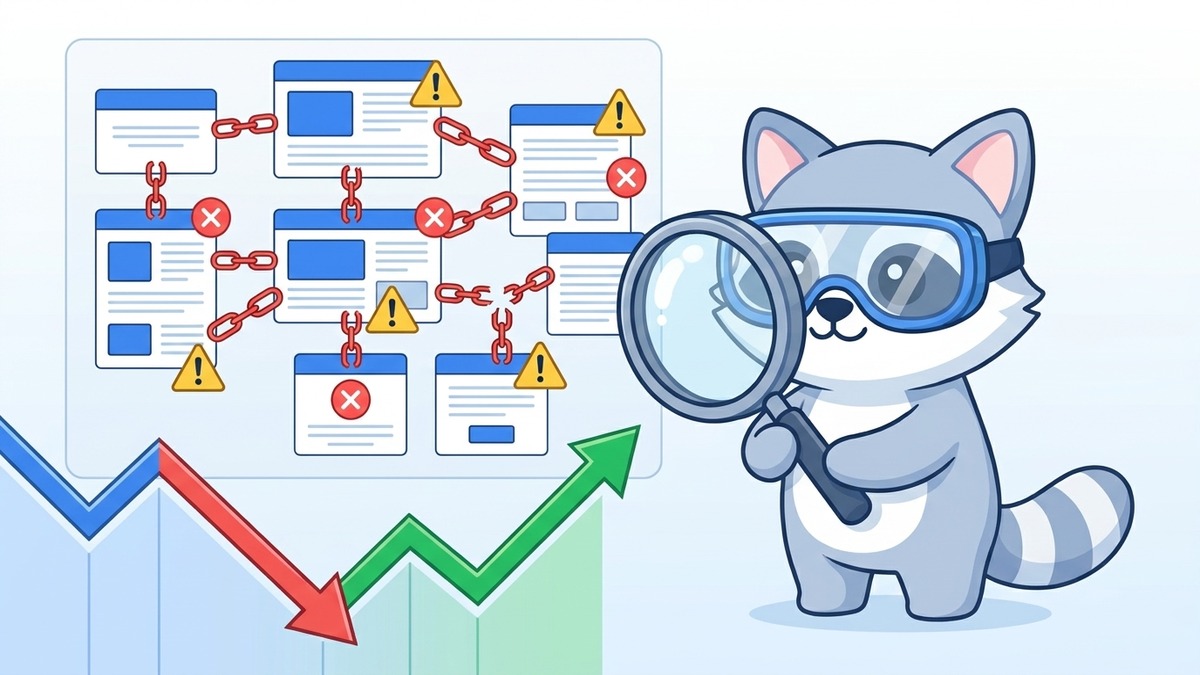
You've written great content, your keyword targeting is on point, and your site looks good. But something isn't adding up. Rankings aren't moving, or worse, they're quietly slipping. There's a good chance the problem isn't what you can see. It's what Google can't see.
Crawl errors are silent killers. They stop Googlebot from reaching your pages, which means those pages can't be indexed, and pages that aren't indexed don't rank. It's that simple. The frustrating part is that many Singapore businesses spend months optimising content while a technical crawl issue is undermining all of it at the root level.
This guide covers what crawl errors are, where to find them, and how to fix them systematically.
Key Takeaways
- Crawl errors prevent Google from indexing your pages, which means those pages can't rank
- The most common types are 404s (broken pages), redirect chains, and blocked resources
- Google Search Console is your primary tool for identifying crawl errors
- Not all crawl errors are equal: some need urgent fixing, others can be ignored safely
- Fixing crawl errors often produces fast ranking improvements, because Google can suddenly access content it couldn't before
- Regular crawl audits should be a standard part of your ongoing SEO maintenance
What Crawl Errors Actually Are
When Googlebot visits your site, it follows links from page to page to discover and index content. A crawl error happens when Googlebot tries to access a URL and hits a problem, anything that stops it from successfully loading the page.
The most common types:
404 Not Found: The page doesn't exist. Could be a deleted page, a mistyped URL in a link, or a URL that changed without a redirect being set up.
Soft 404: The page returns a 200 OK status code, but the content is essentially empty or a "not found" message. Confusing for Google, bad for your site.
Redirect errors: Too many redirects in a chain (A redirects to B which redirects to C which redirects to D), redirect loops, or redirect destinations that return errors.
Blocked by robots.txt: Pages or directories that have been blocked from crawling by your robots.txt file, sometimes accidentally.
Server errors (5xx): Your server failed to respond. Could be temporary (overloaded server) or persistent (misconfiguration).
DNS errors: Google couldn't resolve your domain. Usually means a hosting or DNS configuration problem.
Understanding the difference between these matters, because the fix for each one is different.
Where to Find Crawl Errors
Google Search Console is your first stop. The Coverage report (now called the Indexing report in newer versions of GSC) shows pages that were excluded, had errors, or had warnings. GSC categorises issues and often explains why a URL wasn't indexed.
Check these reports regularly:
- Pages: See which URLs are indexed and which aren't, with reasons
- Crawl Stats: How often Googlebot visits, how many pages it crawls, and where it encounters errors
Screaming Frog is a desktop crawler that mimics Googlebot. Run it against your site to generate a comprehensive list of all URLs, their status codes, and any issues. The free version handles up to 500 URLs, which covers most smaller Singapore business sites.
Ahrefs Site Audit and Semrush Site Audit both offer cloud-based crawl audits that give you structured reports with priority rankings.
What top-tier site health actually looks like. Here is our most recent Ahrefs Site Audit overview for seoexpert.sg, captured on 21 April 2026:
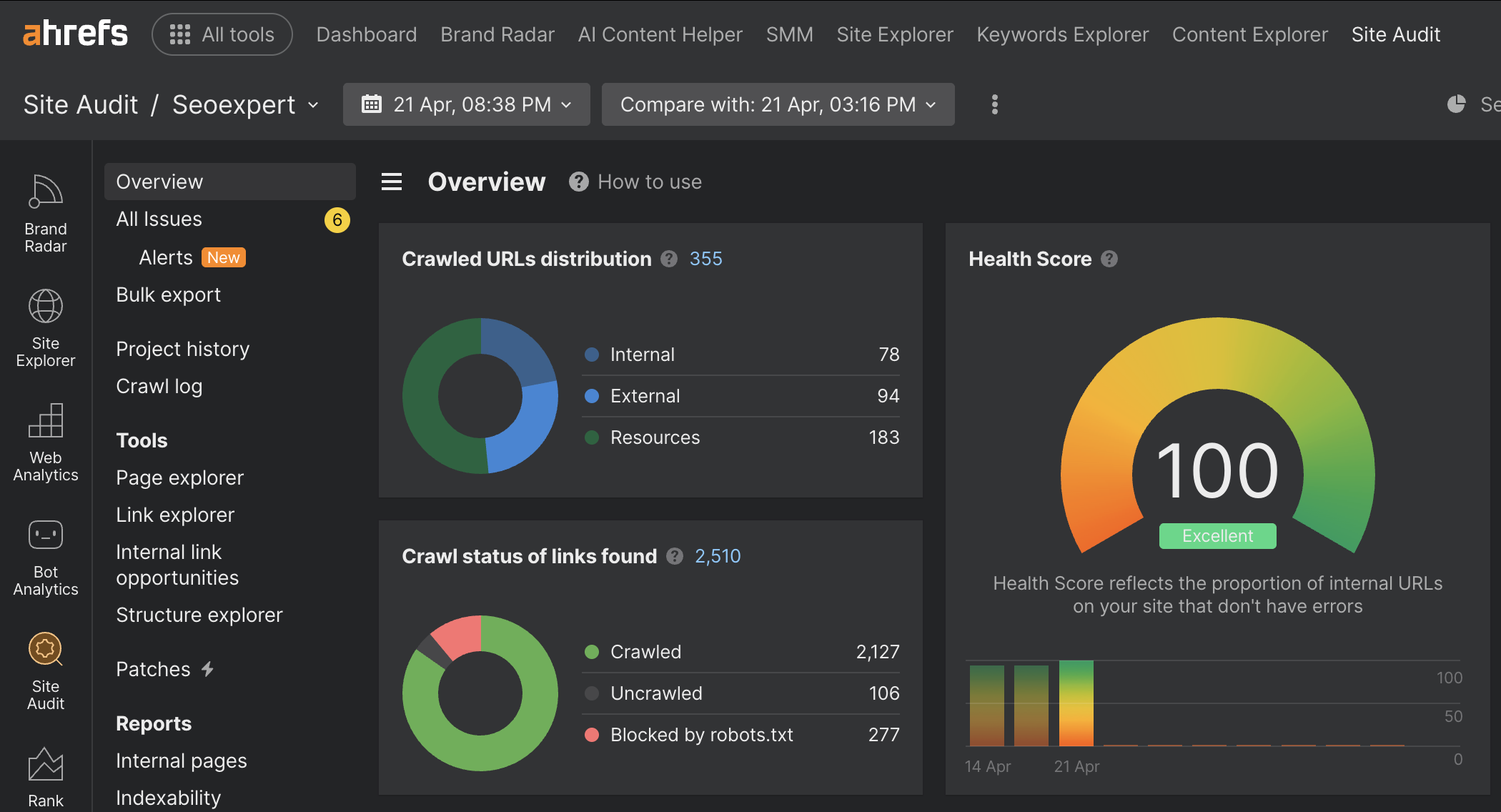
A perfect 100 Health Score with only 6 minor alerts across 355 crawled URLs. This is the standard we hold ourselves to before recommending it to clients. Clean crawl status, no broken internal links, no redirect chains, no orphan pages. The point is not to flex, it is to show that maintaining a clean technical foundation is achievable when you treat audit reports as a weekly habit rather than a one-time fix.
Our guide to the best SEO tools covers several of these in more detail if you want a deeper comparison.
Fixing 404 Errors: The Right Way
Not all 404 errors need to be fixed. If Googlebot is hitting 404s for URLs that never existed (spam bots often request random paths), those are fine to leave. Focus on 404s that used to be real, indexed pages.
For pages that were deleted or moved:
Set up 301 redirects from the old URL to the most relevant existing page. If you deleted a product page and have a similar product, redirect to that. If the closest match is your category page, redirect there. If there's no relevant page at all, consider whether the content should be restored.
Fix internal links that point to the 404 page. Every broken internal link wastes crawl budget and confuses users. Use Screaming Frog to find internal links pointing to 404s.
Check your sitemap for any 404 URLs. Your XML sitemap should only include live, indexable pages. A sitemap full of 404s signals poor site maintenance to Google.
One thing that's easy to miss: after fixing 404s, request reindexing via the URL Inspection tool in Google Search Console. Don't just wait for Googlebot to rediscover the fix.
Redirect Chains and Loops: Why They Matter
Every redirect adds latency. A 301 redirect adds a small delay, but when you have a chain of 3-4 redirects, that delay compounds. More importantly, Google has stated that it stops following redirect chains after a certain length, meaning pages at the end of long chains may never get crawled.
A redirect chain looks like this: /old-page → 301 → /intermediate-page → 301 → /another-page → 301 → /final-destination
The fix: update all redirects to point directly to the final destination. Skip the intermediary hops.
A redirect loop is when page A redirects to page B, which redirects back to page A. This is an outright error. Googlebot will abandon the URL entirely. Check for loops using Screaming Frog or Ahrefs.
Blocked Resources: The accidental robots.txt problem
Your robots.txt file tells Googlebot which parts of your site to skip. It's useful for blocking duplicate content, admin areas, and staging environments. But it's easy to accidentally block pages you need indexed.
This happens more than you'd expect, especially:
- After migrating from one CMS to another
- After copying a staging site to production without updating robots.txt
- When a developer adds a disallow rule during development and forgets to remove it
Check your robots.txt at yourdomain.com/robots.txt. Look for any Disallow: rules that might be blocking important pages.
Use the robots.txt tester in Google Search Console to check whether specific URLs are blocked.
Also check your page-level meta tags. A page with <meta name="robots" content="noindex"> won't get indexed, regardless of whether Googlebot can crawl it. This is a separate issue from crawl errors but often discovered at the same time.
Crawl Budget: Why It Matters for Larger Sites
Every site has a crawl budget: the number of pages Googlebot will crawl in a given period. For small sites (under a few hundred pages), crawl budget is rarely a limiting factor. For larger sites, like e-commerce stores with thousands of product pages, it matters a lot.
If Google is wasting crawl budget on broken pages, paginated archives, duplicate parameter URLs, or low-value content, it may not reach your most important pages.
Ways to preserve crawl budget:
- Fix all 404 errors and remove broken links
- Block low-value URLs via robots.txt (session IDs, filter parameters that create duplicate content)
- Use
rel="canonical"to consolidate duplicate or near-duplicate pages - Keep your XML sitemap clean, only including indexable, live pages
For sites with significant e-commerce infrastructure, this connects directly to e-commerce SEO best practices, where managing crawl budget is an ongoing technical discipline.
Soft 404s: The Hidden Problem
A soft 404 is a page that returns a 200 OK status code (meaning "success") but contains no real content. Think: a search results page with no results, a product page that says "this product is no longer available," or a paginated page beyond the last page of results.
Google's algorithms are smart enough to identify these as low-value pages. But they still consume crawl budget, and if Google determines there are too many, it can affect how it evaluates your site overall.
Fix soft 404s by:
- Returning an actual 404 status code for genuinely missing content
- Setting up 301 redirects to relevant alternative content
- Removing empty paginated pages
- Making sure your out-of-stock product pages have enough real content to justify their existence
Crawl Errors and Your Technical SEO Foundations
Fixing crawl errors is one of the highest-leverage activities in SEO. Unlike content creation, which takes months to compound, a crawl error fix can produce ranking improvements within weeks, sometimes faster.
Think of it this way: you've been doing the work, but a door was locked. Fix the crawl error, and Google can finally walk through.
If you haven't already, read our previous article on Core Web Vitals, because site speed and crawlability are related: a slow, error-ridden site gives Googlebot a bad experience just like it gives users a bad experience.
For businesses with complex site structures, crawl issues often multiply over time if not addressed. It's a strong argument for including a technical SEO audit in your regular maintenance cadence.
If you want unfamiliar eyes on your site's crawl health, our SEO services include full technical audits that cover crawl errors, indexation issues, and everything in between. Reach out to our GEO agency to get started.