
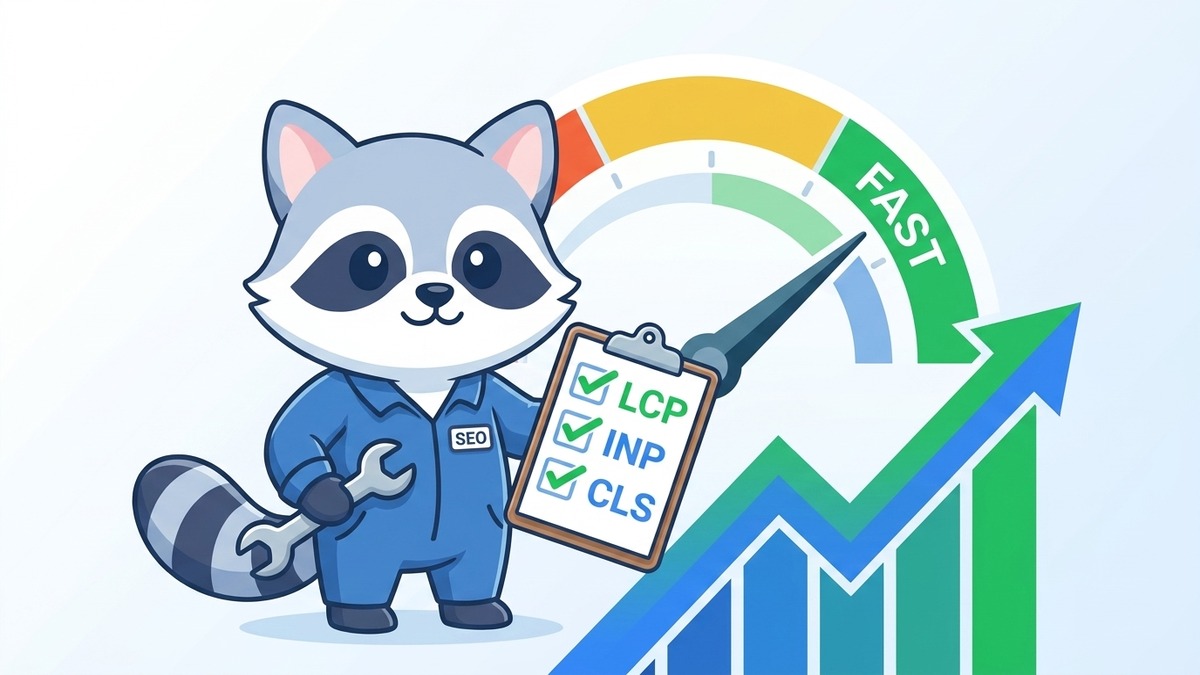
Your website might be losing rankings right now, and you might not even know it. Not because of bad content or weak backlinks, but because your pages load too slowly, shift around when people try to click things, or feel sluggish and unresponsive.
Google made this official in 2021: Core Web Vitals are a direct ranking factor. If your scores are poor, Google will rank competitors above you, even if your content is better. For Singapore businesses competing in crowded local search results, this is not a small thing.
The good news is these metrics are fixable. You just need to know what you're looking at.
Key Takeaways
- Core Web Vitals measure three things: loading speed (LCP), interactivity (INP), and visual stability (CLS)
- Poor scores are a confirmed Google ranking signal, meaning they directly affect where you show up in search
- Most issues trace back to unoptimised images, render-blocking scripts, and poorly configured hosting
- You can test your scores for free using Google Search Console and PageSpeed Insights
- Fixing Core Web Vitals typically improves conversion rates too, not just rankings
- Technical fixes compound over time: faster sites attract more links, more traffic, more trust
What Are Core Web Vitals, Actually?
Core Web Vitals are a set of three metrics Google uses to measure the real-world experience of loading a webpage. They're part of a broader set of Page Experience signals that Google uses to rank pages.
The three metrics are:
Largest Contentful Paint (LCP): How long it takes for the main content of a page to load. Think: the hero image or the headline. Google wants this under 2.5 seconds.
Interaction to Next Paint (INP): How quickly your page responds when someone clicks, taps, or types. Google replaced the old FID metric with INP in 2024. Target: under 200 milliseconds.
Cumulative Layout Shift (CLS): How much the page layout shifts around during loading. You know that feeling when you're about to tap a button and the page jumps and you accidentally tap the wrong thing? That's CLS. Target: under 0.1.
Get all three into the green zone and Google considers your page to have "good page experience."
Why Singapore Businesses Should Care Right Now
Search is competitive. If you're running SEO services in Singapore or competing in any industry with multiple players chasing the same keywords, Core Web Vitals can be the tiebreaker.
Two pages with identical content, same number of backlinks, same on-page optimisation. The one with better Core Web Vitals wins more consistently. That's the reality.
There's also the user behaviour angle. Slow sites get abandoned. If your LCP is 6 seconds on mobile, most Singaporean users have already left before they've seen your offer. You're paying for the click, but not getting the lead.
This is especially relevant if you're running PPC campaigns alongside SEO. Poor landing page speed hurts your Google Ads Quality Score, which means you pay more per click for worse placement.
If you've been building out your local presence, including the work described in our multi-location SEO strategy guide, Core Web Vitals are the technical foundation that makes all of that effort stick.
How to Check Your Current Scores
Google Search Console: The Core Web Vitals report in GSC shows real-world data from actual users visiting your site. It groups pages into "Good," "Needs Improvement," and "Poor." Start here.
PageSpeed Insights: Enter any URL at pagespeed.web.dev and get both field data (real users) and lab data (simulated). It also gives specific recommendations.
Chrome DevTools: For developers, Lighthouse in Chrome DevTools gives detailed breakdowns per metric.
Always check mobile scores separately from desktop. In Singapore, mobile traffic dominates for most industries, and mobile scores are almost always worse.
What good scores actually look like. Here are the most recent PageSpeed Insights scores for our own site, seoexpert.sg, tested 23 April 2026:
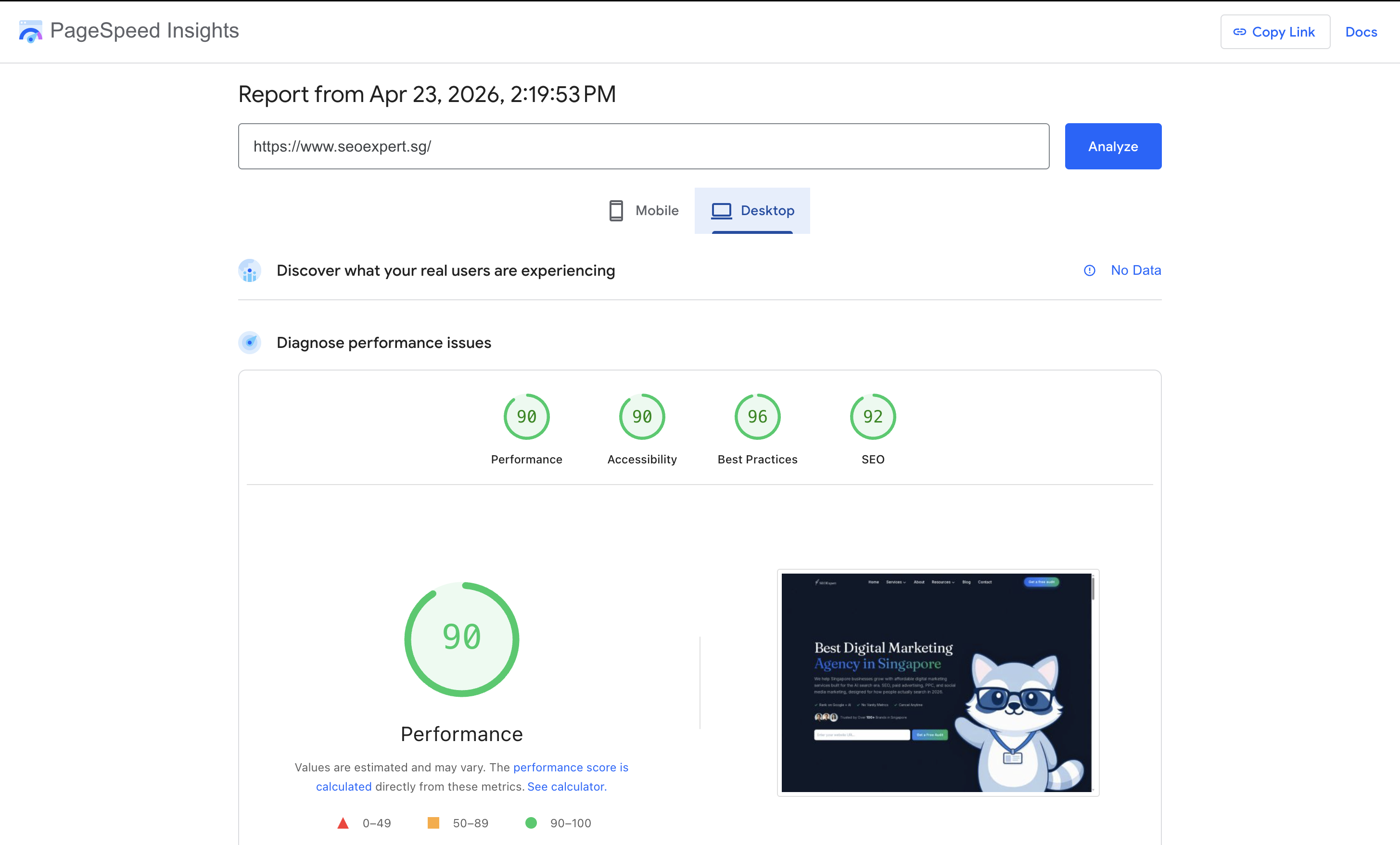
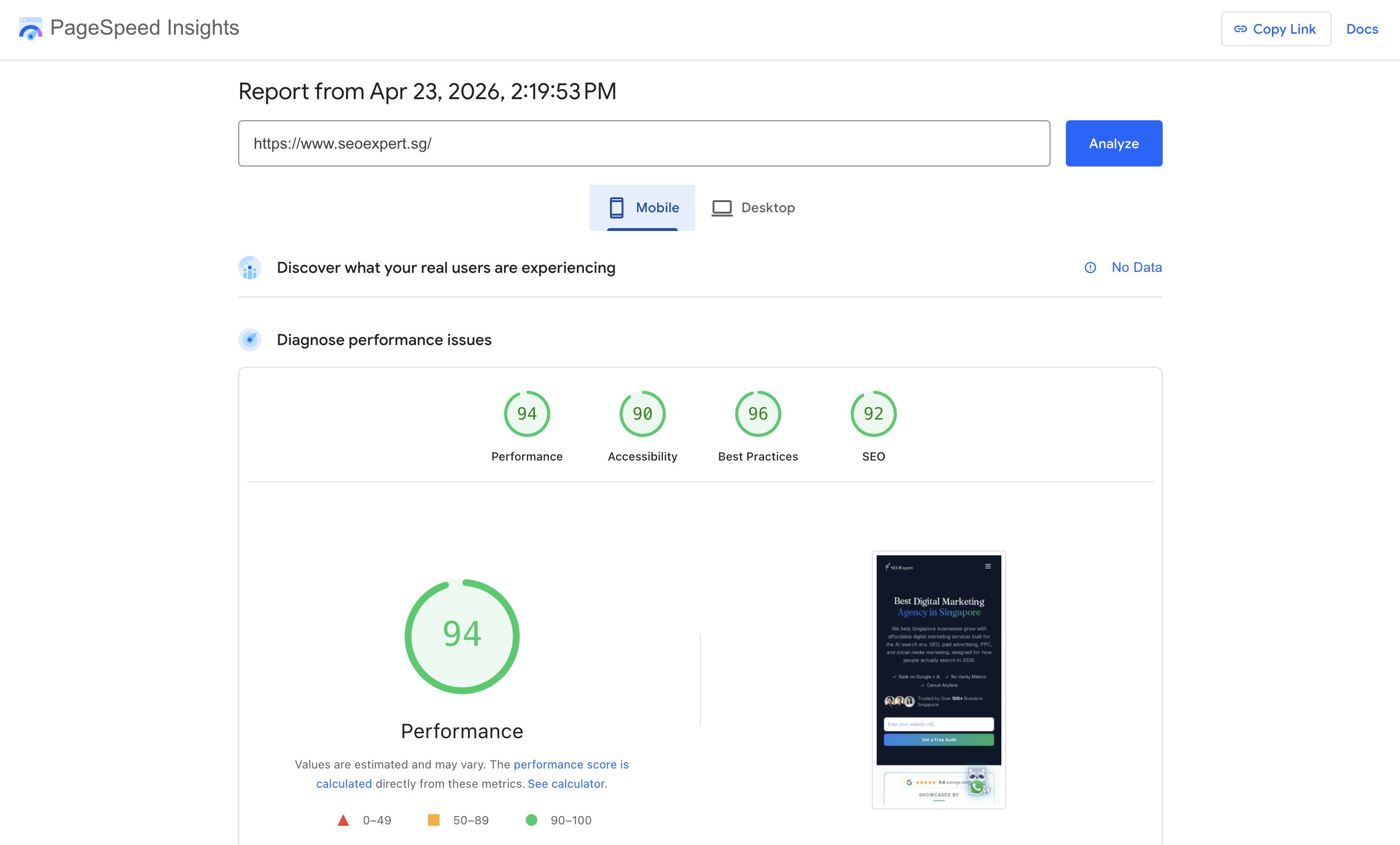
We hit the green band (90+) across all four categories on both desktop and mobile. That is what optimal looks like, and it took deliberate work to get here. We rebuild this site with performance in mind from the start, defer non-critical resources, optimise images aggressively, and ship as little JavaScript as we can get away with. The point is not to brag, it is to show that hitting these numbers is achievable for a real production marketing site.
Fixing LCP: The Biggest Win
LCP problems usually come from one of four places:
1. Unoptimised hero images. Large JPEGs and PNGs take forever to load. Convert them to WebP format, which is smaller with no visible quality loss. Compress everything before uploading. If your hero image is 3MB, that's your LCP problem.
2. No lazy loading (or too much lazy loading). Lazy loading defers images that are below the fold. But if you accidentally lazy-load your hero image (the one that determines LCP), you've created the problem yourself. Make sure your above-the-fold content loads eagerly.
3. Slow server response times. If your Time to First Byte (TTFB) is over 600ms, even a perfectly optimised page will struggle. This points to hosting issues. In Singapore, hosting on servers located in Singapore or nearby (Tokyo, Sydney) makes a real difference compared to US-based hosting.
4. Render-blocking resources. CSS and JavaScript that block the browser from rendering the page. Defer non-critical JS, inline critical CSS, and remove anything that isn't needed on page load.
Fixing INP: Make Your Pages Feel Snappy
INP measures how responsive your page is to user input. Poor INP usually comes from heavy JavaScript executing on the main thread.
Common culprits: third-party scripts (chat widgets, analytics tags, ad scripts), bloated page builders, and poorly written custom JS.
Solutions:
- Audit your third-party scripts. Does every script on every page actually need to be there?
- Use a tag manager to control when scripts fire (after user interaction, after page load)
- Break up long tasks using web workers or code splitting
- Upgrade your page builder or theme if it's generating excessive JS
Fixing CLS: Stop the Page from Jumping Around
CLS issues are often caused by:
Images without dimensions: When the browser doesn't know how tall an image will be, it renders the page without space for it, then jumps when the image loads. Always set explicit width and height attributes on images.
Late-loading ads or embeds: If an ad loads and pushes content down, that's CLS. Reserve space for ad units using CSS, even before the ad loads.
Web fonts causing layout shifts: Custom fonts that swap in after the page renders cause text to reflow. Use font-display: swap and preload your most important fonts.
Injected content: Banners, cookie notices, and popups that appear and push content down all contribute to CLS. Slide-in or overlay patterns are better than push patterns.
The Tools You Should Be Using
Beyond Google's own tools, there are several free and paid tools worth knowing:
- Google Search Console (free): Real-world Core Web Vitals data from your actual visitors
- PageSpeed Insights (free): Lab + field data with actionable recommendations
- GTmetrix (free tier available): Waterfall charts that show exactly which resources are slowing you down
- WebPageTest (free): Advanced testing including filmstrip view to see your page load frame by frame
Track your scores over time. After making changes, it can take a few weeks for Search Console to reflect improvements, since it uses a 28-day rolling average.
Core Web Vitals and Your Broader SEO Strategy
Technical SEO is the foundation that your entire SEO strategy sits on. You can write the best content in Singapore, but if your pages are slow and unstable, you're building on sand.
This connects directly to your on-page work. If you haven't reviewed our on-page SEO guide, that's worth reading alongside this. Technical and on-page SEO work together, not in silos.
It's also worth checking your SEO metrics regularly so you catch Core Web Vitals regressions before they compound into ranking drops. A site that scores well today can deteriorate after a plugin update or new page builder version.
For e-commerce sites, this is especially critical. E-commerce SEO involves product pages, category pages, filters, and dynamic content that all add JavaScript weight. Getting CWV right for e-commerce often requires dedicated technical work.
Don't Let Technical Debt Kill Your Rankings
Every month you delay fixing Core Web Vitals is another month of ranking below where you should be. Google isn't going to stop measuring these signals, and competitors who invest in performance will keep the advantage.
If you're not sure where to start or want an expert eye on your site's technical health, get in touch with us. Our GEO agency audits Core Web Vitals as part of our technical SEO work and can map out exactly what needs fixing, in priority order.