

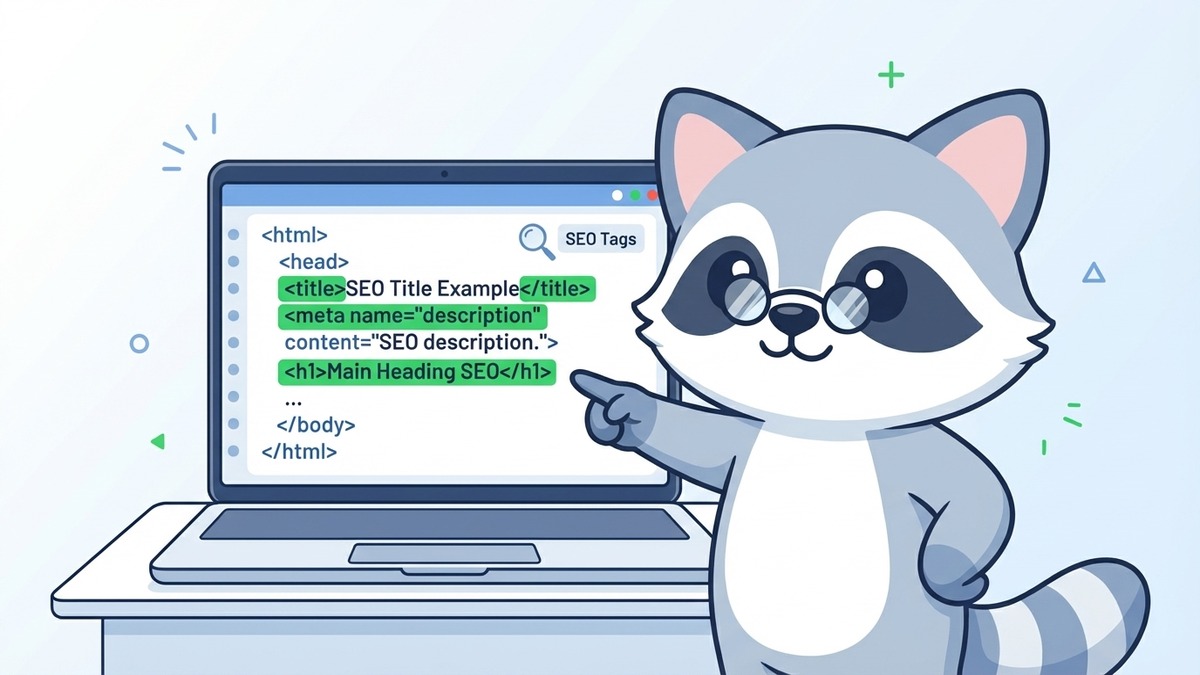
SEO tags are HTML elements embedded in your webpage code that communicate directly with search engines. They include title tags, meta descriptions, heading tags (H1 through H6), image alt tags, canonical tags, and schema markup. Get them right, and Google has a clear map of your content. Get them wrong, or skip them entirely, and you're leaving rankings on the table.
Most Singapore business owners know SEO matters. Far fewer know that a handful of invisible HTML tags are doing a huge amount of the heavy lifting behind the scenes.
Key Takeaways
- Title tags are the single most important on-page SEO element you control directly
- Meta descriptions do not directly affect rankings but dramatically impact click-through rates
- Every page needs exactly one H1 tag containing your primary keyword
- Image alt tags serve double duty: they help Google understand images AND improve image search rankings
- Canonical tags prevent duplicate content from hurting your site
- Schema markup is massively underused by Singapore SMEs and gives you an edge over competitors who skip it
- In WordPress, meta tags are managed through SEO plugins like Yoast or Rank Math
What Are SEO Tags, Really?
Think of SEO tags as labels on filing folders. Without them, Google's crawlers (the bots that scan and index your site) have to guess what your content is about. With well-written tags, you're handing Google a clear, organised summary.
Unlike the visible content on your page, most SEO tags live in the <head> section of your HTML and are invisible to visitors. They exist purely for search engines and browsers. A few, like heading tags, are visible to users as well.
The good news: you don't need to touch raw HTML to manage these tags. If your site runs on WordPress, which is the case for the majority of Singapore SME websites, a free plugin handles everything. More on that in a moment.
Title Tags: The Most Important SEO Tag You Have
The title tag defines the clickable headline that appears in Google search results. It's arguably the most important on-page SEO element you control.
<title>Florist in Singapore | Freshly Arranged Bouquets | Petal Studio</title>
What title tags do:
- Tell Google the main topic of your page
- Appear as the blue clickable link in search results
- Show up in browser tabs
- Used by social media platforms when your page is shared
Rules for a good title tag:
- Keep it under 60 characters (longer titles get truncated in search results)
- Include your primary keyword, ideally near the front
- Make it readable and click-worthy, not just a keyword list
- Each page needs a unique title tag
When writing title tags, use the SERP simulator to preview exactly how your title and description will appear in Google before you publish.
A weak title tag like "Home | Company Name" wastes one of your best ranking opportunities. A strong title tag like "Florist in Singapore | Same-Day Delivery | Petal Studio" tells Google and users exactly what the page offers.
Meta Description Tags: They Don't Rank You, But They Do Get You Clicked
A common misconception: meta descriptions directly improve your rankings. They don't. Google confirmed this years ago.
What meta descriptions DO affect is your click-through rate. A compelling description that tells searchers exactly what they'll find on your page means more clicks. More clicks send positive engagement signals to Google. Those signals can indirectly support rankings over time.
<meta name="description" content="Order fresh flowers online in Singapore. Same-day delivery available across the island. Bouquets from $35. Free delivery on orders over $80.">
Meta description best practices:
- Keep it between 150 and 160 characters
- Include a benefit or call to action
- Naturally include your keyword (Google bolds matching terms)
- Write it for humans, not search engines
- Each page needs a unique meta description
If you skip the meta description entirely, Google will auto-generate one from your page content. Sometimes it picks a decent excerpt. Often it doesn't. Writing your own gives you control over how your listing looks in search results.
Understanding how to write your SEO meta title and description is a small effort with a disproportionate impact on your organic traffic.
Heading Tags: Your Page's Content Hierarchy
Heading tags (H1 through H6) create the structural outline of your content. They tell both users and search engines how your page is organised.
H1 tag: The main title of your page. Every page should have exactly one H1. It should contain your primary keyword and accurately describe the page's main topic. Think of it as the chapter title of a book.
H2 tags: Section headings that break your content into logical chunks. These often contain secondary keywords or related terms you want to rank for.
H3 through H6 tags: Sub-sections within your H2 sections. Less critical for SEO but important for readability and content structure.
A common mistake Singapore business websites make: using heading tags purely for design purposes. They'll set an H1 because it looks large and bold, not because it's the correct structural element. Search engines read these tags to understand content hierarchy. Misusing them creates confusion.
If you want to go deeper on how these tags integrate with a full on-page SEO approach, our guide on how SEO actually works covers the mechanics in detail.
Image Alt Tags: The Tag Most People Forget
Alt tags (short for alternative text) are descriptions added to image HTML that tell search engines what an image depicts.
<img src="red-rose-bouquet.jpg" alt="Red rose bouquet for Valentine's Day Singapore">
Why alt tags matter for SEO:
- Google cannot "see" images the way humans can. Alt text is how it understands image content.
- Pages with descriptive alt text rank better in Google Image Search.
- Properly tagged images contribute to the page's overall topical relevance.
- Alt text is also critical for accessibility: screen readers use it to describe images to visually impaired users.
What good alt text looks like:
- Describes the image accurately and specifically
- Includes a relevant keyword where it fits naturally
- Stays concise (125 characters or fewer)
- Does not start with "Image of..." or "Picture of..."
Many Singapore websites have dozens or hundreds of untagged images. This is a fast, high-impact fix that your SEO services in Singapore provider should address in any audit.
Canonical Tags: Preventing Duplicate Content Problems
Canonical tags solve a specific but serious problem: duplicate or near-duplicate content.
<link rel="canonical" href="https://www.example.com/roses/">
Here's when you need them: If your website has multiple URLs showing the same (or very similar) content, Google doesn't know which version to rank. It may split the "ranking power" between them, effectively weakening both.
Common duplicate content scenarios in Singapore e-commerce sites:
- Product pages accessible via multiple URL paths
- Filtered category pages (
/products/?colour=red) - HTTP vs HTTPS versions of the same page
- WWW vs non-WWW versions
The canonical tag tells Google: "This is the official version of this page. Ignore the others." It consolidates all ranking signals onto a single URL.
Most SEO plugins for WordPress handle canonical tags automatically, but you should audit your site to confirm they're being applied correctly.
Schema Markup: The Most Underused SEO Tag in Singapore
Schema markup (also called structured data) is a code layer added to your HTML that gives search engines extra context about your content.
It's not a tag in the traditional sense, but it functions like one: you add it to your page's code, search engines read it, and your listing in Google gets enhanced.
What schema markup unlocks:
- Star ratings appearing in search results (review schema)
- FAQ dropdowns under your listing (FAQ schema)
- Event details displayed directly in Google (event schema)
- Product prices and availability shown inline (product schema)
- Breadcrumb navigation in your URL path (breadcrumb schema)
These enhanced listings, called "rich results," dramatically increase visibility and click-through rates.
Despite this, the majority of Singapore SME websites have zero schema markup. This is a significant gap. If your competitors haven't implemented it either, adding schema markup can give you a visible advantage in search results immediately.
The SEO glossary has plain-English definitions for schema, structured data, and other technical terms if you want to go deeper.
SEO Tag Priority Table: What Matters Most in 2026
| SEO Tag | Impact on Rankings | Difficulty | Priority |
|---|---|---|---|
| Title Tag | Very High | Low | Do immediately |
| H1 Tag | High | Low | Do immediately |
| Meta Description | Indirect (CTR) | Low | Do immediately |
| Image Alt Tags | Medium | Medium | Next sprint |
| H2-H6 Tags | Medium | Low | Ongoing |
| Canonical Tags | High (when needed) | Low-Medium | Audit and fix |
| Schema Markup | Medium-High | Medium-High | High value, often skipped |
| Robots Meta Tag | Critical (when wrong) | Low | Audit to confirm |
The robots meta tag deserves a special mention. It's a tag that tells search engines whether to index your page or not. Most pages should be indexable. But misconfigured robots tags can accidentally block pages from appearing in Google entirely. It's worth confirming your important pages aren't blocked.
Where Is the Meta Description in WordPress?
If your site runs on WordPress, you won't find meta description settings in the standard post editor. You need an SEO plugin.
The three most popular options for Singapore WordPress sites:
Yoast SEO: A panel appears at the bottom of every post and page. Click "Edit snippet" to write your meta title and description. The character counter shows you when you've hit the right length.
Rank Math: Similar interface. Look for the "Edit Snippet" option in the Rank Math box below your editor. Rank Math adds a real-time SERP preview.
All in One SEO (AIOSEO): Scroll to the AIOSEO section below your content and click on the "Search Appearance" tab.
All three plugins are free at their core level. For most Singapore SMEs, the free versions cover everything needed for solid on-page SEO tag management.
The Tags That Are Working Against You
Not all tags help. A few commonly misused tags actively hurt your SEO:
Duplicate title tags: If multiple pages have the same title, Google can't distinguish between them. Every page needs a unique, descriptive title.
Keyword-stuffed title tags: "Florist Singapore | Flowers Singapore | Delivery Singapore | Singapore Flowers" sends spam signals. Write for people.
Missing alt tags on important images: Infographics, product images, and hero images without alt text are invisible to Google.
Wrong canonical tags: Pointing a canonical to the wrong URL will suppress the page you actually want to rank.
Conclusion
SEO tags aren't glamorous. They don't involve content strategy or creative copywriting. But they're foundational, and getting them right is one of the fastest ways to improve how Google reads and ranks your website.
For Singapore businesses, the opportunity is clear: most local SME sites haven't fully optimised their tag structure. A proper tag audit will reveal quick wins, often within weeks.
If you want to know exactly where your site stands, get in touch with SEOExpert. We'll audit your tags, identify the gaps, and fix what's holding your rankings back.
Once your tags are properly configured, you'll want to monitor whether they're actually moving the needle. Our guide on which SEO metrics to track shows you what to measure and how to read the numbers.
Thinking about WHERE to put keywords once you have your tags in order? Read our guide on where to put keywords for maximum SEO impact next.